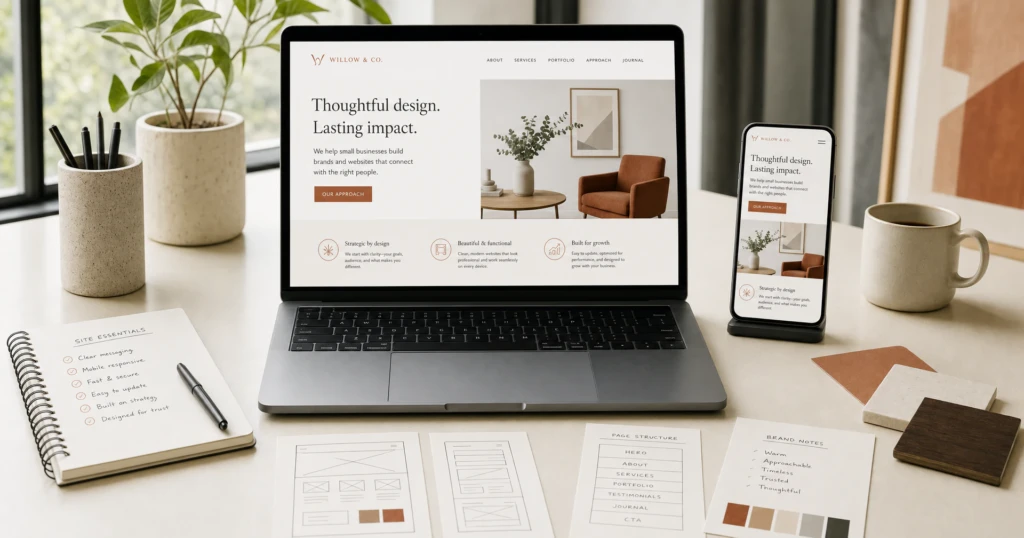
When a Cayman business owner starts planning a website, the first conversation is usually about how it should look. The more useful question is what the site has to do, because that decides how many pages you need, which features are worth paying for and which package fits. Use this guide as a checklist: the essentials, the optional extras, what to leave out and what stays your responsibility after launch.
Start with one sentence of purpose
Before you think about colours or layouts, write down who the site is for and the one thing you want those people to do. A plumber in Bodden Town might write “help homeowners in the eastern districts request a callout.” A restaurant might write “help diners check the menu and book a table.”
That sentence becomes the brief. It tells you which page matters most, what the main button should say, and whether you need a simple information site, a site with booking or a full online store.
The essentials every small business site needs
Whatever you sell, tick these off before launch. The aim is a small business website Cayman customers can understand and act on within moments of arriving.
A layout that works on a phone first
Many visitors will find you on a phone, often while doing something else. Responsive design means the site rearranges itself for phones, tablets and desktops, so text stays readable, buttons suit a thumb and menus open properly. Open every review link on your own phone before you look at it on a laptop.
Contact details and one clear next step
Your phone number, email address and WhatsApp should be within easy reach on every page. Then pick one main action that suits how you handle enquiries. If you answer WhatsApp all day, make that the main button. If you need details to price a job, use an enquiry form that asks for them, such as location, job size and date needed.
Your services or products, in plain terms
Give each main service or product line space to cover what it is, who it suits, what the customer must provide and how pricing works, even if the honest answer is that every job is quoted. If location matters, say which parts of Grand Cayman you cover. Add the practical detail people want before they commit, such as how far ahead to book or what to have ready for a site visit. Gather your logo, photos and descriptions early, because real material is what makes these pages useful.
Navigation a newcomer can follow
A small site rarely needs more than a handful of menu items. A trade business might use Home, Services, Our Work, About and Contact; a restaurant might use Home, Menu, Private Events, About and Contact. Use the words your customers use and make sure every page leads somewhere useful.
Credibility that is easy to check
Show visitors the business behind the site: use your own photographs rather than stock images, keep your logo and colours in line with your signage and print, and update details such as opening hours whenever they change. Our guide to how a professional website builds trust goes further.
Pages that load quickly
Speed is mostly decided during the build. Photos should be sized for the screen rather than uploaded straight from a camera, and embedded videos and outside widgets should justify the extra loading time.
Features that depend on your business
Some features are essential for one business and pointless for another. Add them only when they serve your purpose sentence:
- Booking or appointment integration for salons, clinics, tours and anyone whose diary is the product.
- Menus and price lists for restaurants, cafés and services with set rates.
- Photo and project galleries for trades and event businesses whose work sells on sight.
- Downloadable files and forms such as application forms, brochures or terms.
- Location maps for any business customers visit in person.
Some integrations rely on third-party services with their own fees or licences. We confirm those before they are added to the project.
When an online store makes sense
Ecommerce is worth it when you sell a defined range of products at settled prices and you are ready to process and deliver orders. Someone on your side must also keep stock, prices and photos current after handover. If you sell only a few items or quote most work individually, a clear price list and a good enquiry form may serve you better.
What a small business site can do without
Every extra feature costs money to build and attention to look after. Most small sites are better off without:
- Pages written to fill out a menu rather than to answer a real question.
- A news section nobody has time to update, which soon makes the site look neglected.
- Customer logins with nothing useful behind them.
- Pop-ups that cover the page before a visitor has read a word.
- Add-ons that each bring another subscription to renew.
Build what your purpose sentence requires; a well-structured site can grow later.
The parts that stay your responsibility
Your domain and hosting
Your domain is your web address, and your hosting is the account where the site lives. Both should be in your business’s name and under your control. As the client, you purchase and renew the domain, hosting and any required third-party subscriptions, and Creative Exposure can help connect and configure them as part of the website setup where applicable. Starting from scratch? We can tell you what you need before the build begins. Our domain and hosting notes explain the setup. Keep the logins and renewal dates somewhere safe, because a lapsed account can take your site, and often your email, offline.
Changes after launch
There are no monthly plans, no maintenance subscriptions and no SEO retainers. Once the 30-day post-launch defect support included with each of the three website packages ends, changes and additions are quoted as separate one-time work, when you ask for them, whether that is a new service page or a refreshed menu. The website questions in our FAQ cover the details.
Matching your checklist to a package
With your list in hand, the website packages are easier to compare. Each of the three website packages is a one-time project price and includes basic launch SEO setup, four rounds of revisions, launch testing and configuration, and 30-day post-launch defect support.
- Starter Website: 3 to 5 professionally designed pages, mobile-responsive design, a contact or enquiry form, WhatsApp and social links, and map or location integration where appropriate. Print included: 250 business cards.
- Business Website: up to approximately 8 pages with a custom page structure, plus booking or appointment integration, galleries, menus, downloads or maps where appropriate, and Google Business Profile setup and configuration where applicable. Print included: 250 business cards plus one 4 x 8 banner.
- Ecommerce Website: product and category structure, cart and checkout setup, delivery or shipping configuration and payment provider integration where supported. Print included: 500 business cards plus two feather flags.
Simple Business App Development suits small, clearly defined tools such as quoting calculators or internal trackers, and a Custom Project covers larger websites, unusual functionality and custom integrations, scoped individually before work begins.
Every website package includes a basic SEO foundation for launch. This is not an ongoing SEO campaign, and we do not promise specific rankings, traffic or search results. You get a properly structured site with sensible page titles, readable addresses and a sitemap.
Bring your checklist to Creative Exposure
You do not need a polished brief. Send your purpose sentence, the pages you have in mind, any features from the lists above and whether you already own a domain or hosting, and we will point you to the right package or scope a Custom Project. Timing depends on the size of the project and how quickly content and feedback are provided, and we agree the scope, pages and expected timeline before work begins.
When you are ready, request a website quote, message Creative Exposure on WhatsApp or email sales@creative.ky. If your launch also needs cards or signs, we can coordinate business card printing and other print alongside the website so your Cayman business presents itself consistently, and our guide to business card finishes covers the paper and coating choices.